Get in touch
I'm always excited to take on new projects and collaborate with innovative minds.
Phone
I'm always excited to take on new projects and collaborate with innovative minds.
This blog demonstrates how to integrate Polly with ASP.NET Core to make external API calls more resilient. We implement retry policies and circuit breakers to gracefully handle failures when dealing with third-party services. A real-world shipping rate example is used, and a full working GitHub repo is included for reference.
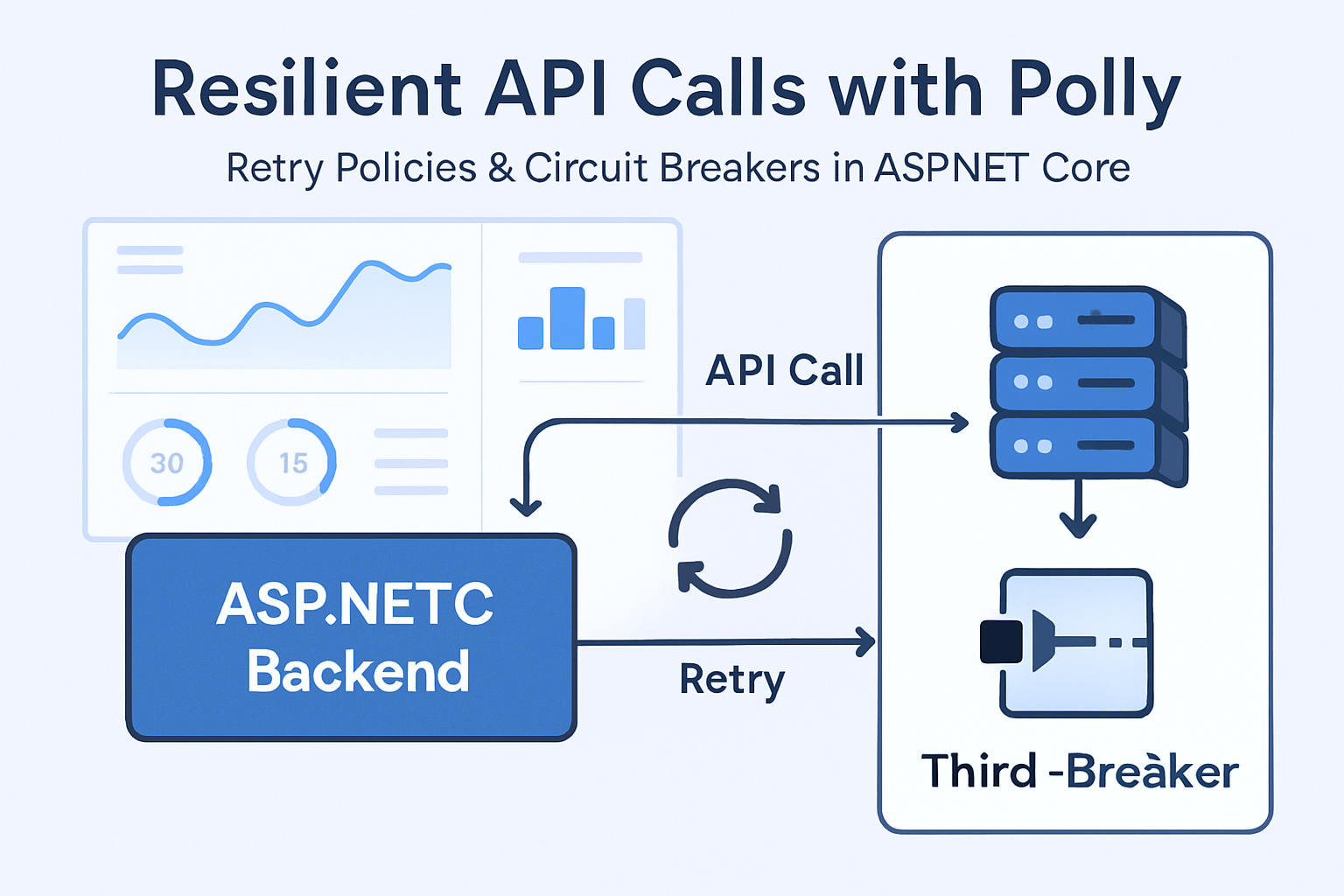
When working with external APIs or third-party services, you're inevitably going to encounter timeouts, transient faults, or full-blown outages. In such scenarios, a resilient strategy is not just optional—it’s critical.
In this blog, we’ll explore how to use Polly, a .NET resilience and transient-fault-handling library, to implement retry policies and circuit breakers for external API calls in an ASP.NET Core application.
Polly allows you to define policies such as:
These are all critical when you're working with unreliable dependencies—like a flaky third-party API.
Imagine your ASP.NET Core application needs to call a shipping provider's API to get real-time shipping rates. Sometimes the API is slow, sometimes it fails. You don’t want your whole app to crash or become unresponsive because of this.
Let’s see how Polly helps us handle this gracefully.
First, make sure you have these packages:
dotnet add package Microsoft.Extensions.Http.Polly
dotnet add package Polly
HttpClient with PollyIn your Program.cs or Startup.cs (depending on your project structure):
builder.Services.AddHttpClient<IShippingService, ShippingService>(client =>
{
    client.BaseAddress = new Uri("https://example-shipping-provider.com/api/");
})
.AddPolicyHandler(GetRetryPolicy())
.AddPolicyHandler(GetCircuitBreakerPolicy());
private static IAsyncPolicy<HttpResponseMessage> GetRetryPolicy()
{
    return HttpPolicyExtensions
        .HandleTransientHttpError()
        .WaitAndRetryAsync(3, retryAttempt => TimeSpan.FromSeconds(Math.Pow(2, retryAttempt)),
            onRetry: (response, delay, retryCount, context) =>
            {
                Console.WriteLine($"Retry {retryCount} after {delay.TotalSeconds} seconds due to {response.Exception?.Message ?? response.Result?.StatusCode.ToString()}");
            });
}
This policy retries the request 3 times, with exponential backoff (2^retryAttempt).
private static IAsyncPolicy<HttpResponseMessage> GetCircuitBreakerPolicy()
{
    return HttpPolicyExtensions
        .HandleTransientHttpError()
        .CircuitBreakerAsync(
            handledEventsAllowedBeforeBreaking: 2,
            durationOfBreak: TimeSpan.FromSeconds(30),
            onBreak: (outcome, timespan) =>
            {
                Console.WriteLine($"Circuit broken due to {outcome.Exception?.Message ?? outcome.Result?.StatusCode.ToString()}, blocking for {timespan.TotalSeconds} seconds.");
            },
            onReset: () =>
            {
                Console.WriteLine("Circuit reset.");
            });
}
This policy breaks the circuit after 2 consecutive failures, and blocks for 30 seconds.
Create a service like ShippingService.cs:
public interface IShippingService
{
    Task<string> GetRatesAsync();
}

public class ShippingService : IShippingService
{
    private readonly HttpClient _httpClient;

    public ShippingService(HttpClient httpClient)
    {
        _httpClient = httpClient;
    }

    public async Task<string> GetRatesAsync()
    {
        var response = await _httpClient.GetAsync("rates");
        response.EnsureSuccessStatusCode();
        return await response.Content.ReadAsStringAsync();
    }
}
You can now inject and use IShippingService in your controllers.
[ApiController]
[Route("api/[controller]")]
public class ShippingController : ControllerBase
{
    private readonly IShippingService _shippingService;

    public ShippingController(IShippingService shippingService)
    {
        _shippingService = shippingService;
    }

    [HttpGet("rates")]
    public async Task<IActionResult> GetRates()
    {
        try
        {
            var rates = await _shippingService.GetRatesAsync();
            return Ok(rates);
        }
        catch (Exception ex)
        {
            return StatusCode(500, $"Something went wrong: {ex.Message}");
        }
    }
}
You can use a mock API like https://httpstat.us/500 to simulate failures.
Change your BaseAddress to test:
client.BaseAddress = new Uri("https://httpstat.us/500");
This will trigger retries and eventually open the circuit breaker.
In production scenarios, you should plug in structured logging and metrics (like Prometheus + Grafana) to monitor:
Resilience isn’t about preventing failure—it's about handling it well. With Polly, you can ensure that your app degrades gracefully, instead of going down completely.
Even though Polly works great with ASP.NET Core HttpClientFactory, you can also use it independently with any async methods.
You can find the complete working example here:
👉 https://github.com/DheerGupta35959/polly-resilience-demo
If you found this helpful or have suggestions for improvement, feel free to contribute or raise an issue on GitHub. Thanks for reading!
Your email address will not be published. Required fields are marked *